
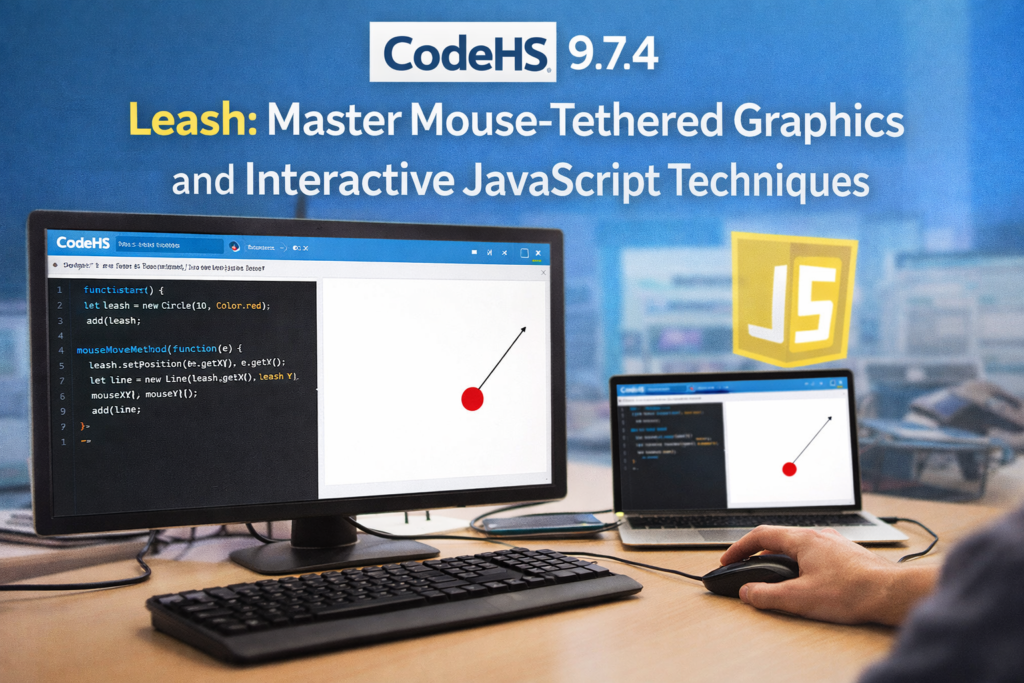

If you have spent time working through the CodeHS JavaScript Graphics curriculum, you have likely encountered exercise 9.7.4 — commonly called the Leash. The objective is clear on paper: draw a line from the center of the canvas to a ball that follows the user’s mouse, creating the illusion of a tethered object. In practice, this single exercise surfaces a surprising number of issues that trip up learners at all levels.
The failures are instructive. A ball that renders on load but vanishes the moment the mouse moves. A line that anchors to the wrong coordinates. A canvas that freezes because two conflicting mouseMoveMethod calls are fighting for control. These are not edge cases — they are patterns that recur across thousands of CodeHS student sessions every semester.
This guide addresses 9.7.4 with precision: corrected, annotated code; systematic analysis of where implementations fail; a structured comparison of common approaches; and a broader discussion of what this exercise is actually teaching. Whether you are a student stuck on initialization logic, a teacher preparing a code review session, or a developer curious about how educational platforms handle event-driven graphics, the Leash exercise is a more complex system than it first appears.
CodeHS uses a custom JavaScript graphics API built on top of standard HTML5 Canvas. Understanding the abstractions — Circle, Line, getWidth(), mouseMoveMethod — is inseparable from understanding why the Leash behaves the way it does.
Understanding the CodeHS Graphics API: The Layer Beneath the Exercise
Before dissecting 9.7.4, it is worth mapping the API surface that the exercise depends on. CodeHS wraps Canvas drawing operations in a simplified object model. Each visual element — a Circle, a Line, a Rectangle — is an object that must be instantiated, configured, and added to the canvas with the add() function before it becomes visible.
The coordinate system originates at the top-left corner of the canvas (0, 0). getWidth() and getHeight() return the canvas pixel dimensions at runtime, not the browser viewport. On the standard CodeHS environment, these values are typically 400×400 pixels, though the exact dimensions can vary by assignment configuration.
The mouseMoveMethod() function is a binding mechanism. It accepts a callback function as its argument and registers that function to fire on every mouse movement event within the canvas. Critically, calling mouseMoveMethod() more than once does not replace the previous handler — it stacks a new one on top. This is the source of one of the most common 9.7.4 bugs.
How Line and Circle Positioning Works
In CodeHS Graphics, a Line is defined by two endpoints: a start point (fixed at the canvas center in this exercise) and an end point (which tracks the mouse). The setEndpoint() method updates the terminal coordinate of the line without requiring a full redraw — the API handles the canvas repaint internally.
A Circle is positioned by its top-left bounding box corner, not its center. This is a critical detail. If you place a Circle with radius 30 at coordinates (200, 200), the center of that circle is actually at (230, 230). To center the ball on the mouse cursor, you must subtract the radius from both the x and y coordinates passed to setPosition().
The Corrected 9.7.4 Implementation
Below is a working, annotated solution. Every decision reflects a specific fix to a documented failure mode:
var BALL_RADIUS = 30;
var line;
var ball;
function start() {
var cx = getWidth() / 2;
var cy = getHeight() / 2;
line = new Line(cx, cy, cx, cy);
add(line);
ball = new Circle(BALL_RADIUS);
ball.setPosition(cx – BALL_RADIUS, cy – BALL_RADIUS);
ball.setColor(Color.red);
add(ball);
mouseMoveMethod(updatePosition);
}
function updatePosition(e) {
line.setEndpoint(e.getX(), e.getY());
ball.setPosition(e.getX() – BALL_RADIUS, e.getY() – BALL_RADIUS);
}
Each structural decision in this implementation eliminates a specific failure class. The start() function is the single initialization point. Both objects are created and added before the event handler is registered. The handler itself is a single function assigned once.
Failure Mode Analysis
The following table maps the most common 9.7.4 implementation errors to their root causes and corrective actions:
| Symptom | Root Cause | Corrective Action |
| Ball invisible on load | ball not added via add() in start() | Call add(ball) before mouseMoveMethod |
| Line disappears after first move | line not initialized before setEndpoint call | Initialize line in start() before handler |
| Ball offset from cursor | setPosition uses raw e.getX()/e.getY() | Subtract BALL_RADIUS from both coordinates |
| Jerky or duplicated movement | Multiple mouseMoveMethod() calls stacked | Use exactly one mouseMoveMethod in start() |
| Canvas freeze on fast movement | Handler doing expensive operations per event | Keep updatePosition() minimal |
| Wrong starting position | Using hardcoded coords instead of getWidth()/2 | Always derive center from canvas dimensions |
Systems Analysis: Why These Errors Are Structurally Predictable
The Leash exercise is not simply testing whether students can copy an API call. It is testing whether they understand initialization order, state management across event callbacks, and the coordinate conventions of a specific rendering model. Each failure mode maps to a gap in one of these three areas.
Initialization order errors are the most frequent. Students who write their event handler first, before declaring objects, find that updatePosition() references variables that are undefined at the time of the first mouse event. JavaScript does not throw a reference error here because var declarations are hoisted — but the value is undefined until assignment, meaning setEndpoint() is called on undefined rather than on a Line object.
The coordinate offset bug (ball visually trailing the cursor) is a deeper conceptual issue. The CodeHS Circle API positions the bounding box, not the centroid. Students who correctly implement line tracking but skip the radius subtraction experience a frustrating near-miss: the simulation looks almost right until inspected closely. This detail is pedagogically significant — it is the same issue that appears in CSS when positioning elements with margin and padding, or in SVG when working with circle cx/cy versus rect x/y conventions.
The stacked handler problem tends to appear when students iterate on their code. They move mouseMoveMethod to a different location, forget to remove the original call, and end up with two handlers running in parallel. The result is visual artifacts and performance degradation that are difficult to diagnose without a clear mental model of how event binding accumulates.
Implementation Approaches: A Structured Comparison
| Approach | Handler Count | Init Location | Offset Correction | Outcome |
| Correct (this guide) | 1 (in start) | start() only | Radius subtracted | Fully functional |
| Common student v1 | 1 (in start) | Global scope mix | Missing | Ball offset from cursor |
| Common student v2 | 2 (stacked) | start() split | Correct | Jerky, duplicate events |
| Common student v3 | 1 (outside start) | Global | Missing | Undefined errors on move |
| Hardcoded center | 1 (in start) | start() | Correct | Breaks on canvas resize |
Strategic Implications for Learners and Educators
The Leash exercise is more valuable as a diagnostic than as a deliverable. A student who completes it correctly has demonstrated three things: they understand that visual objects must be initialized before event handlers reference them; they can reason about coordinate transformations (the radius offset); and they know that event binding in this API is cumulative, not replacing.
For educators using CodeHS in secondary or post-secondary programming courses, 9.7.4 is one of the cleaner exercises to use for formative assessment precisely because its failure modes are distinct and diagnosable. A student whose ball is offset has a different gap than a student whose canvas freezes. Code review sessions built around these specific error types produce more targeted learning than generic debugging exercises.
There is also a broader transferability argument here. The mechanics of mouseMoveMethod in CodeHS Graphics map directly to addEventListener(‘mousemove’, handler) in standard browser JavaScript. The Circle positioning convention maps to the CSS box model. The single-handler discipline maps to the pattern of cleaning up event listeners before re-registering them in React’s useEffect hook. Students who internalize the structure of 9.7.4 are building instincts that will surface again in every UI framework they encounter.
Three Insights Not Commonly Found in Standard Resources
1. The mouseMoveMethod Stacking Problem Is Underdocumented
Most CodeHS help resources — forums, YouTube walkthroughs, teacher-created slides — address the visible symptoms of 9.7.4 bugs without explaining the underlying API behavior. The fact that mouseMoveMethod() accumulates handlers rather than replacing them is not prominently documented in the CodeHS student interface. Students debugging a stacking issue will typically not find a clear explanation in official resources. They may spend significant time on a problem that has a one-line fix once the mechanism is understood.
2. Canvas Dimension Assumptions Create Hidden Fragility
Solutions that hardcode center coordinates (line = new Line(200, 200, 200, 200)) appear to work in the default CodeHS environment but break immediately when the canvas size is modified — which happens in certain assignment variants and when CodeHS updates its embedded player. Using getWidth() / 2 and getHeight() / 2 is not just a style preference; it is a correctness requirement for any environment where canvas dimensions are not guaranteed to be 400×400.
3. The Radius Subtraction Is a Gateway Concept
The need to subtract BALL_RADIUS from both position coordinates when centering a Circle on the mouse is a microcosm of a broader class of UI bugs: the difference between the anchor point of an element and its visual center. This concept recurs in CSS transforms (transform-origin), SVG (the cx/cy attributes of circle versus the x/y of rect), and Canvas 2D (arc() center versus fillRect() top-left). Teaching students to articulate why they subtract the radius — rather than simply copying the pattern — produces significantly better transfer to these downstream concepts.
Risks, Trade-offs and Scalability of the Pattern
The single-handler pattern in the corrected solution is correct for 9.7.4 Leash requirements, but real-world applications introduce trade-offs. In production JavaScript, high-frequency mouse events can become a performance bottleneck — a mousemove listener firing on every pixel of cursor movement can produce hundreds of function calls per second. The standard professional mitigation is requestAnimationFrame throttling: instead of updating directly in the event handler, store the mouse coordinates in a variable and update the canvas in a separate animation loop.
The CodeHS API abstracts this complexity away, which is appropriate for learners at this stage. But students who later encounter vanilla Canvas or WebGL will need to re-learn the performance model explicitly. This is not a flaw in the CodeHS curriculum design — pedagogical scaffolding necessarily hides details that would be noise at an introductory level — but educators should be aware that the mental model built here is a simplification that will need to be revised.
There is also a mobile/touch surface gap. CodeHS exercises are designed for desktop mouse interaction. The concepts in 9.7.4 Leash do not directly transfer to touch events (touchmove, pointer events), which have different coordinate objects and require different binding patterns. Students who move into mobile-first development will need to learn the touch event model independently.
The Future of Interactive Graphics Education in 2027
CodeHS and platforms like it operate at an interesting juncture. As browser-native APIs mature and frameworks like React, Svelte, and Vue dominate professional workflows, the question of what a graphics fundamentals curriculum should look like is increasingly contested.
Several trends are likely to shape the successor to exercises like 9.7.4 Leash by 2027. WebGPU, now shipping in Chrome and approaching stable support in Firefox and Safari, will begin appearing in advanced high school and university curricula as the performance ceiling for browser graphics rises. Exercises in event-driven rendering will need to account for GPU buffer management concepts that are entirely absent from the current CodeHS model.
AI-assisted coding tools are already changing how students interact with exercises like 9.7.4 Leash. Platforms are beginning to integrate LLM-based code assistance that can generate working solutions on demand. The pedagogical response — assigning exercises that test understanding of output rather than generation of code — is already being explored by forward-thinking CS educators. The Leash exercise, with its predictable failure modes and clear diagnostic structure, is actually well-suited to this new context: the interesting question is not whether a student can produce the correct code, but whether they can explain why each line is necessary.
Curriculum providers including CodeHS are likely to evolve their assessment models toward explanation-first approaches — requiring students to annotate their code, predict the output of buggy variants, or fix deliberately broken implementations — rather than pure code-generation tasks. The structural richness of 9.7.4 Leash, with its multiple failure modes and layered concepts, makes it a strong candidate for this kind of curriculum adaptation.
Key Takeaways
- 9.7.4 Leash requires exactly one mouseMoveMethod call, placed in start() after all objects are initialized and added to the canvas.
- Circle positioning in CodeHS Graphics uses the bounding box top-left, not the center — always subtract the radius from both x and y to center a ball on the cursor.
- Line objects must be initialized in start() before any event handler references them; undefined variable errors at handler execution time indicate initialization order failure.
- getWidth() / 2 and getHeight() / 2 are the correct way to derive canvas center — hardcoded coordinates break when canvas dimensions change.
- The mouseMoveMethod stacking pattern is a real and underdocumented failure mode; debugging it requires knowing that each call adds, rather than replaces, a handler.
- The concepts in 9.7.4 Leash — event binding, bounding box positioning, initialization order — recur in CSS, SVG, React, and WebGL; internalizing the why behind each fix builds durable programming instincts.
- By 2027, graphics education exercises will likely shift from code-generation to code-explanation assessment, making structural exercises like 9.7.4 Leash more rather than less relevant.
Conclusion
The CodeHS 9.7.4 Leash exercise is, on its surface, a short assignment. Create a ball. Draw a line. Track the mouse. In practice, it is a compact test of whether a learner understands initialization order, coordinate conventions, and event binding behavior — three of the most fundamental mechanics in interactive graphics programming.
The corrected implementation in this guide is simple: initialize everything in start(), register one handler, subtract the radius. What is less simple is understanding why each of those decisions is necessary, and recognizing that the failure modes of this exercise — invisible objects, offset positioning, stacked handlers — are not arbitrary bugs but predictable consequences of specific conceptual gaps.
For students, mastering 9.7.4 Leash means more than passing the assignment. It means having a clear mental model of how event-driven rendering works, a model that will prove accurate across a wide range of frameworks and contexts. For educators, it means having a high-signal diagnostic exercise that surfaces exactly which concepts need reinforcement. The Leash is a small program with a large return on instructional investment.
Frequently Asked Questions
What does the 9.7.4 Leash exercise ask you to build?
The exercise asks you to create a red ball that follows the mouse cursor, connected by a line anchored at the canvas center. The effect is a tethered object — like a ball on a leash — that tracks movement in real time using the CodeHS Graphics mouseMoveMethod API.
Why does my ball disappear when I move the mouse?
The most likely cause is that the ball object was not added to the canvas via add() before the mouse handler was registered, or the ball variable was not initialized in start(). When the handler fires and calls setPosition() on an uninitialized object, the reference fails silently and the ball never renders.
Why is the ball offset from my cursor?
CodeHS Circle objects are positioned by their top-left bounding box corner, not their center. To center the ball on the cursor, subtract BALL_RADIUS from both the x and y coordinates: ball.setPosition(e.getX() – BALL_RADIUS, e.getY() – BALL_RADIUS).
Can I call mouseMoveMethod more than once?
Technically yes, but you should not. Each call adds a new handler rather than replacing the previous one. Multiple handlers firing per mouse event produce duplicate updates, visual artifacts, and performance problems. Use exactly one mouseMoveMethod call, placed at the end of start().
What do getWidth() and getHeight() return?
They return the pixel dimensions of the CodeHS canvas element at runtime — typically 400 x 400 pixels in the standard environment. Always use these functions rather than hardcoded numbers to ensure your code works correctly if the canvas size changes.
How do I make the ball bounce off the walls?
Wall bouncing requires autonomous movement with delta-based position updates — typically implemented with a setTimer() loop — rather than direct mouse tracking. You store a velocity vector (dx, dy) and reverse the relevant component when the ball’s position reaches a canvas boundary. This is a distinct exercise from 9.7.4’s mouse-following mechanic.
Is the CodeHS Graphics API the same as standard Canvas?
No. CodeHS Graphics is a custom abstraction over HTML5 Canvas. Methods like add(), mouseMoveMethod(), setPosition(), and Color.red are CodeHS-specific. Standard Canvas uses different APIs: document.getElementById(‘canvas’).getContext(‘2d’), addEventListener, and manual coordinate management. The concepts transfer but the syntax does not.