
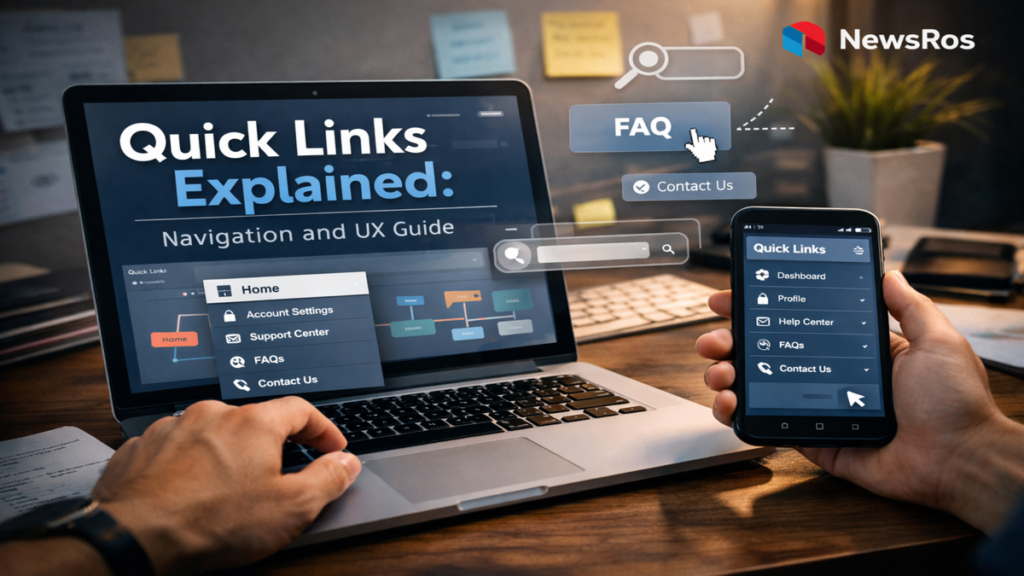

I have come to think of quick links as the invisible scaffolding of the internet. They are rarely noticed when they work well, yet instantly missed when they do not. For anyone searching to understand what quick links are, they are essentially shortcuts, clickable elements that allow users to access frequently used pages, tools, or resources quickly. Whether embedded in websites, dashboards, or applications, quick links reduce friction and guide users through complex digital environments.
Within seconds of encountering a well-designed interface, quick links reveal their value. They eliminate the need for repeated navigation. They anticipate user needs. And they create a sense of efficiency that defines modern digital experiences. According to usability research from the Nielsen Norman Group, users prefer interfaces that minimize effort and cognitive load, making shortcuts like quick links essential in effective design.
As digital systems grow more complex, the role of quick links has expanded. They are no longer simple conveniences. They are strategic tools that influence how information is accessed and understood. From enterprise dashboards to educational portals, quick links shape the flow of interaction.
This article explores their evolution, function, and impact, revealing how something so small has become central to how we navigate the digital world.
The Origins of Quick Links in Web Design
The concept of quick links emerged alongside the early development of the web. In the 1990s, websites were relatively simple, often consisting of static pages connected by basic hyperlinks. As content grew, navigation became more challenging.
Designers began introducing shortcut sections, labeled menus that allowed users to jump directly to important pages. These early quick links were often placed in sidebars or headers, providing immediate access to key resources.
By the early 2000s, the rise of content-heavy websites made such features indispensable. Portals, news sites, and e-commerce platforms relied on quick links to manage increasing complexity.
“Navigation is the backbone of usability,” notes Jakob Nielsen, a pioneer in user experience research. “Users should never have to think about how to get where they want to go.”
Quick links evolved as a response to this principle. They simplified navigation, reducing the number of steps required to complete tasks.
How Quick Links Work
At a technical level, quick links are straightforward. They are hyperlinks, often styled as buttons or menu items, that direct users to specific pages or actions. Their effectiveness lies not in complexity, but in placement and relevance.
Quick links typically appear in:
- Navigation bars
- Dashboards
- Homepages
- Side panels
| Component | Function | User Benefit |
|---|---|---|
| Hyperlink | Directs to a page | Immediate access |
| Labeling | Describes destination | Clarity |
| Placement | Strategic positioning | Reduced effort |
| Styling | Visual emphasis | Faster recognition |
The design of quick links requires careful consideration. Labels must be clear. Placement must align with user behavior. And visual design must distinguish them from other elements.
These factors determine whether quick links enhance or hinder the user experience.
The Psychology of Navigation
Quick links are not just technical features. They are deeply tied to human cognition. They reduce cognitive load, allowing users to focus on tasks rather than navigation.
Research in human-computer interaction shows that users prefer predictable pathways. When quick links align with expectations, they create a sense of ease.
“People do not want to think about navigation,” says Don Norman, author of The Design of Everyday Things. “They want to achieve their goals with minimal effort.”
This principle explains why quick links are so effective. They act as mental shortcuts, reinforcing familiarity and reducing decision-making time.
At the same time, poorly designed quick links can create confusion. Ambiguous labels or cluttered layouts increase cognitive load, negating their benefits.
Quick Links in Modern Applications
Today, quick links are embedded in a wide range of digital systems. From enterprise software to mobile apps, they serve as essential navigation tools.
In platforms like Microsoft SharePoint, quick links allow organizations to create customized dashboards for employees. These dashboards centralize resources, improving efficiency.
Similarly, in productivity tools like Google Workspace, quick links provide access to frequently used documents and applications.
| Platform | Use of Quick Links | Outcome |
|---|---|---|
| SharePoint | Employee dashboards | Streamlined workflows |
| E-commerce sites | Product categories | Faster shopping |
| Educational portals | Course materials | Improved learning access |
| Mobile apps | Feature shortcuts | Enhanced usability |
The widespread adoption of quick links reflects their versatility. They adapt to different contexts while maintaining their core function.
Design Principles for Effective Quick Links
Designing effective quick links requires more than technical implementation. It involves understanding user behavior and applying design principles.
Key considerations include:
- Relevance: Links should reflect user priorities
- Clarity: Labels must be intuitive
- Consistency: Placement should remain stable
- Simplicity: Avoid overcrowding
“Good design is about making things understandable,” says Steve Krug, author of Don’t Make Me Think.
These principles ensure that quick links enhance rather than complicate navigation. When implemented correctly, they become almost invisible, seamlessly guiding users.
Quick Links and Productivity
In professional environments, quick links can significantly impact productivity. By reducing the time required to access resources, they streamline workflows.
Studies in workplace efficiency suggest that even small time savings can accumulate into substantial productivity gains. Quick links contribute by eliminating repetitive navigation tasks.
“Efficiency is often about removing friction,” says productivity expert Cal Newport. “Small optimizations can have large effects over time.”
In remote work settings, where digital tools are central, quick links become even more important. They help employees navigate complex systems and maintain focus.
Comparing Navigation Methods
| Method | Description | Strength | Limitation |
|---|---|---|---|
| Quick Links | Direct shortcuts | Speed | Limited scope |
| Search Bars | Keyword-based navigation | Flexibility | Requires input |
| Menus | Structured navigation | Organization | Multiple steps |
| Breadcrumbs | Path indicators | Context | Not proactive |
This comparison highlights the unique role of quick links. They prioritize speed and simplicity, complementing other navigation methods.
Challenges and Limitations
Despite their advantages, quick links are not without challenges. Overuse can lead to clutter, reducing their effectiveness. Poor labeling can create confusion. And outdated links can frustrate users.
Maintaining relevance is essential. As systems evolve, quick links must be updated to reflect changing priorities.
“Design is never finished,” notes Nielsen. “It requires continuous iteration.”
Another challenge is personalization. Different users have different needs. Static quick links may not serve everyone effectively.
Emerging solutions include adaptive interfaces that adjust quick links based on user behavior. These systems aim to balance consistency with customization.
The Future of Quick Links
The future of quick links is closely tied to advances in artificial intelligence and personalization. Systems are increasingly capable of predicting user needs and adapting interfaces accordingly.
Voice interfaces and conversational AI may also redefine navigation. Instead of clicking links, users may simply ask for what they need.
However, the core principle remains unchanged. Users seek efficiency and clarity. Quick links, in whatever form they take, will continue to serve that need.
“Technology changes, but human behavior remains consistent,” says Norman.
This consistency ensures that quick links will remain relevant, even as digital environments evolve.
Expert Perspectives on Digital Navigation
Jakob Nielsen emphasizes usability: “The best interfaces are those that users do not notice.” This underscores the importance of seamless navigation.
Don Norman highlights user-centered design: “Design should serve the user, not the other way around.”
Steve Krug adds, “If something requires explanation, it is already too complicated.”
These perspectives converge on a single idea: simplicity is key.
Takeaways
- Quick links are essential tools for efficient digital navigation
- They reduce cognitive load and improve user experience
- Effective design requires clarity, relevance, and consistency
- They play a critical role in productivity and workflow efficiency
- Overuse or poor design can diminish their effectiveness
- Future developments will focus on personalization and AI integration
- Simplicity remains the guiding principle of successful navigation
Conclusion
I have come to see quick links not as minor features, but as fundamental elements of digital design. They shape how we move through information, how we interact with systems, and how we experience the digital world.
Their power lies in their simplicity. They do not demand attention, yet they guide it. They do not overwhelm, yet they enable.
As technology continues to evolve, the challenge will be to maintain that simplicity. To ensure that as systems become more complex, navigation remains intuitive.
In the end, quick links remind us that good design is not about adding more, but about making things easier. And in a world of increasing complexity, that simplicity is more valuable than ever.
Read: Colegia Platform Explained: Unified Digital Learning
FAQs
What are quick links?
Quick links are shortcuts that allow users to access frequently used pages or features quickly.
Where are quick links used?
They are commonly found in websites, dashboards, applications, and digital platforms.
Why are quick links important?
They improve efficiency, reduce navigation time, and enhance user experience.
How should quick links be designed?
They should be clear, relevant, consistently placed, and visually distinct.
Can quick links be personalized?
Yes, modern systems increasingly use AI to tailor quick links to individual user behavior.
References
Nielsen, J. (1994). Usability engineering. Academic Press.
Norman, D. A. (2013). The design of everyday things. Basic Books.
Krug, S. (2014). Don’t make me think, revisited. New Riders.
Newport, C. (2016). Deep work: Rules for focused success in a distracted world. Grand Central Publishing.
Nielsen Norman Group. (2020). Website usability research. https://www.nngroup.com